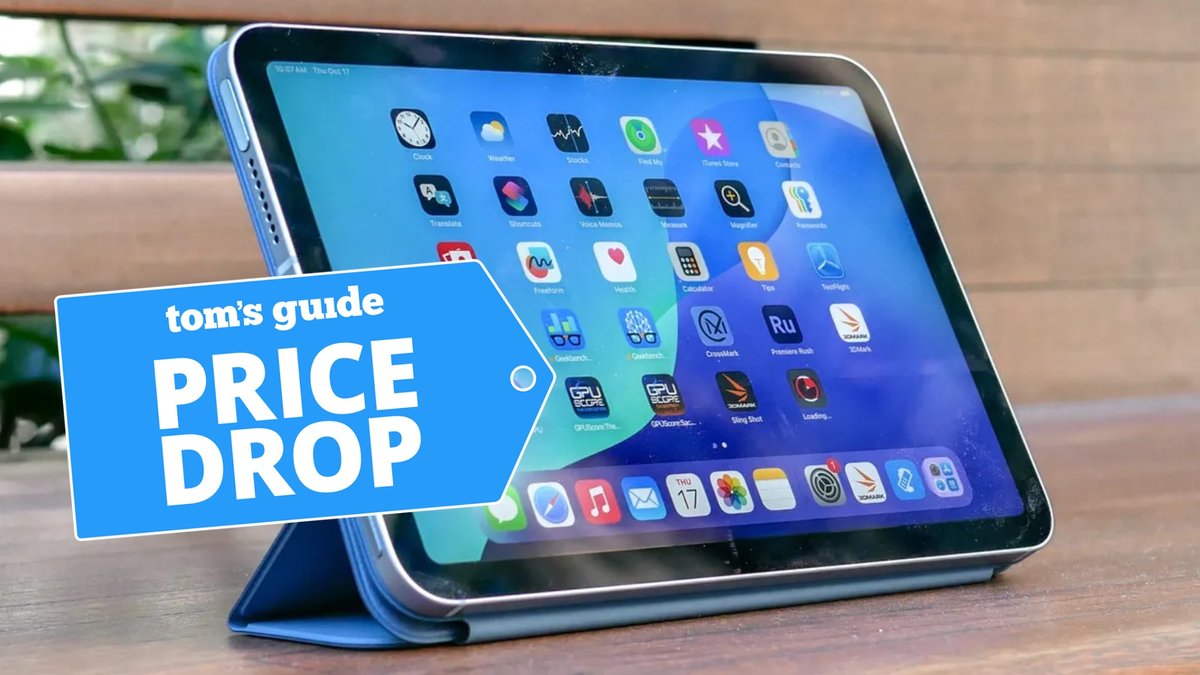
If you're eyeing an Apple iPad 7th Generation, you're looking for a device that offers robust performance and classic iPad functionality without the hefty price tag of the latest models. The good news? While Apple no longer sells it new, there are still plenty of avenues to find great deals on this capable tablet. This guide will walk you through exactly where to buy an iPad 7th Gen and how to snag the best possible price.
Before we dive in, let's get a quick overview of what you're stepping into:
At a Glance: Your iPad 7th Gen Buying Checklist
- No Longer Sold New: The iPad 7th Gen (released in 2019) is primarily found on the secondary market.
- Key Features: 10.2-inch Retina display, A10 Fusion chip, supports 1st-gen Apple Pencil and Smart Keyboard.
- Main Channels: Certified refurbishers, big-box online retailers, specialty used electronics sites, and peer-to-peer marketplaces.
- Focus on Condition: "Refurbished," "Pre-Owned," and "Used" have distinct meanings; understand them.
- Essential Checks: Verify battery health, storage, connectivity (Wi-Fi vs. Cellular), and seller reputation.
- Deal Potential: Look for bundles, holiday sales, and compare prices across multiple platforms.
Why the iPad 7th Gen Still Holds Its Own
First things first: why consider an iPad 7th Gen in the first place, especially when newer models are out? Simple. This isn't just any old tablet; it's a remarkably versatile device that continues to be a fantastic value, especially if you can find it at a compelling price.
The iPad 7th Gen sports a vibrant 10.2-inch Retina display, making it perfect for browsing the web, streaming videos, reading e-books, and even some light photo editing. Under the hood, the A10 Fusion chip provides ample power for everyday tasks, running a vast majority of apps smoothly, including graphics-intensive games and augmented reality (AR) experiences.
Perhaps its biggest draw for many users is its compatibility with the first-generation Apple Pencil and the Smart Keyboard. This means you can transform it from a media consumption device into a productivity powerhouse, ideal for students, note-takers, or anyone who wants a more tactile typing experience. It also runs on iPadOS, Apple's tablet-optimized operating system, unlocking a world of multi-tasking capabilities and specific tablet features that truly make it feel like a distinct computing experience.
Whether you're looking for a family tablet, a reliable device for schoolwork, or a portable entertainment hub, the iPad 7th Gen checks a lot of boxes without requiring you to break the bank for the latest silicon. If you want to dive deeper into its full capabilities, you can always Learn more about the iPad 7th Gen before making your purchase decision.
The Reality of Buying an iPad 7th Gen Today: It's All About the Secondary Market
Because the iPad 7th Generation was discontinued by Apple in 2020, you won't find brand-new units directly from Apple or most major retailers. This means your search will primarily focus on refurbished, pre-owned, or used devices. Don't let that deter you! Buying from the secondary market can be an excellent way to save money, but it requires a bit more savvy.
The key is to understand the different classifications of "not new" and to know where to look for trustworthy sellers. We'll explore these distinctions and reputable sources in detail.
Where to Buy the iPad 7th Gen: Your Best Bets
Navigating the secondary market for electronics can feel like a maze, but several reliable channels offer the iPad 7th Gen. Each comes with its own set of pros and cons regarding price, warranty, and peace of mind.
1. Certified Refurbishers: The Gold Standard for Peace of Mind
When you hear "refurbished," it often means a device that was returned, repaired (if necessary), thoroughly tested, and certified to be in excellent working condition. This is often your safest bet outside of buying new.
- Best Buy Certified Refurbished: As seen in our research, Best Buy explicitly offers "Certified Refurbished" Apple iPad 10.2" 7th generation models. These typically come with a warranty and have undergone rigorous checks, ensuring they meet specific quality standards. This is a strong contender if you want a reliable device with some level of retail backing.
- Apple Certified Refurbished (Rare but Worth Checking): While less common for older models like the 7th Gen, Apple's own refurbished store offers devices that are virtually indististinguishable from new, complete with new outer shells, batteries, and a full one-year warranty. Keep an eye out, though inventory for older models is highly sporadic.
- Reputable Third-Party Refurbishers: Companies like Gazelle, Back Market, and Decluttr specialize in buying, refurbishing, and reselling used electronics. They often offer various condition grades (e.g., "excellent," "good," "fair") and typically include a warranty (usually 30-90 days, sometimes longer).
- Pros: Thoroughly tested, often come with a warranty, higher chance of good battery health, professional repair if needed.
- Cons: Generally more expensive than simply "used" devices.
2. Big-Box Retailers with Third-Party Marketplace Options
Many large retailers have online marketplaces that host third-party sellers offering refurbished or pre-owned electronics.
- Walmart: Our research shows Walmart features a plethora of "Restored" (refurbished) and "Pre-Owned" iPad 7th Gen models, often bundled with accessories like wireless earbuds, cases, and tempered glass screen protectors. This can be a great way to get extra value.
- Amazon: Similar to Walmart, Amazon's marketplace has numerous third-party sellers offering the iPad 7th Gen in various conditions.
- Pros: Wide selection, competitive pricing, convenience of shopping with a familiar retailer. Often includes bundles for added value.
- Cons: You need to vet the individual seller carefully, as quality control can vary. Always check seller ratings, reviews, and return policies. "Refurbished" can mean different things to different third-party sellers.
3. Specialty Used Electronics Retailers
These platforms act as intermediaries or direct sellers of used devices, often with a focus on consumer electronics.
- Swappa: A popular marketplace for buying and selling used tech directly between individuals, but with an emphasis on verification. Sellers must meet specific requirements, and devices are checked for activation lock before listing. Swappa focuses on devices that are fully functional.
- Other online stores: Smaller online stores might specialize in older tech. Exercise caution and look for transparent return policies and strong customer service reviews.
- Pros: Often provide more detailed condition descriptions and photos than large marketplaces. Swappa, in particular, has good buyer protections.
- Cons: Warranties might be shorter or non-existent compared to certified refurbishers.
4. Peer-to-Peer Marketplaces: For the Savvy Shopper
These platforms connect you directly with individual sellers. While they can offer the lowest prices, they also come with the highest risk.
- eBay: A vast marketplace where individuals and small businesses sell items. You'll find a wide range of iPad 7th Gens, from "for parts" to "like new."
- Facebook Marketplace, Craigslist, OfferUp: Local marketplaces where you can often meet sellers in person.
- Pros: Potentially the lowest prices, opportunity to inspect the device in person (local sales).
- Cons: Highest risk of scams, no warranty, no return policy (unless explicitly agreed upon), need to be highly diligent about verifying the device's condition and legitimacy.
Deciphering the Labels: "Refurbished," "Pre-Owned," and "Used"
When shopping for an iPad 7th Gen, you'll encounter a few terms that seem similar but have crucial differences. Understanding them is key to managing your expectations and making an informed purchase.
- Certified Refurbished (or "Restored"): This is generally the highest standard for a non-new device. It means the iPad has been professionally inspected, tested, cleaned, and repaired as needed by either the original manufacturer (e.g., Apple) or a certified third-party company. Often comes with a warranty and guarantees full functionality. Cosmetically, it should look very good, sometimes indistinguishable from new, or have minimal signs of wear. This is what Best Buy and many Walmart listings are referring to.
- Pre-Owned: A broad term, often used by larger retailers for devices they've acquired and then resold. These devices are typically tested for basic functionality but might not undergo the extensive repair or cosmetic overhaul of a "certified refurbished" unit. They may have visible signs of wear and usually come with a shorter warranty, if any.
- Used: This term generally implies a device sold "as-is" by an individual or a non-specialized seller. Functionality might be tested to varying degrees, but there's no guarantee of extensive repairs, cleaning, or a warranty. Expect cosmetic wear, and thoroughly check for issues yourself. This is common on peer-to-peer marketplaces.
The takeaway: If budget allows, "Certified Refurbished" offers the most peace of mind. If you opt for "Pre-Owned" or "Used," be prepared to do more legwork in inspecting the device and vetting the seller.
What to Look For When Buying a Used or Refurbished iPad 7th Gen
Buying used tech means being a smart consumer. Here's a checklist of critical factors to inspect or inquire about before committing to a purchase:
1. Physical and Screen Condition
- Screen: Check for scratches, cracks, dead pixels, or discoloration. Even small scratches can be distracting. Ensure the touch response is even across the entire display.
- Body: Look for dents, deep scratches, or bends in the aluminum casing. These can indicate a dropped device and potential internal damage.
- Ports: Inspect the Lightning port for debris or damage that might affect charging or accessory connectivity.
- Buttons: Test the Home button (which doubles as Touch ID on this model), volume buttons, and power button to ensure they are responsive and not sticky.
- Cameras: Quickly test both the front and back cameras.
2. Battery Health: The Achilles' Heel of Older Devices
Batteries degrade over time. An iPad with poor battery health will have significantly reduced "all-day battery life."
- Ask the seller for battery health: On an iPad, go to Settings > Battery > Battery Health (if available, though older iPads like the 7th Gen might not show a percentage like iPhones do). If not, ask about typical screen-on time or how long it holds a charge under normal use.
- Factor it into the price: A device with excellent battery health is worth more. If the battery is poor, consider the cost of a replacement (which can be pricey and may require professional service).
3. Storage Capacity: 32GB vs. 128GB
The iPad 7th Gen was primarily offered in 32GB and 128GB configurations (though other sizes might exist in specific markets).
- 32GB: Good for light users who mostly stream, browse, and use a few apps. You'll quickly fill this up if you download many games, movies, or store photos/videos locally.
- 128GB: Highly recommended for most users. It offers much more flexibility for apps, media, and files without constantly worrying about storage warnings.
4. Connectivity: Wi-Fi Only vs. Wi-Fi + Cellular
- Wi-Fi Only: Connects to the internet via wireless networks. Sufficient for home, office, and public Wi-Fi zones.
- Wi-Fi + Cellular: Includes a SIM card slot, allowing you to connect to cellular data networks (like your phone). Ideal if you need internet access on the go without relying on a Wi-Fi hotspot. These models are typically more expensive. If buying cellular, ensure it's unlocked or compatible with your carrier.
5. Activation Lock (iCloud Lock): A Major Pitfall
This is arguably the most important check. If an iPad is still linked to a previous owner's Apple ID, it's "Activation Locked" and unusable for anyone else. Never buy an iPad that is Activation Locked.
- How to check: Power on the device. If it prompts you to set up the iPad as new or sign in with an Apple ID that isn't yours, it's likely clear. If it asks for the previous owner's Apple ID and password, it's locked.
- Always ask the seller to factory reset the device (Settings > General > Transfer or Reset iPad > Erase All Content and Settings) in front of you (for local sales), or verify it's been done and is clear before completing an online purchase.
6. Included Accessories
- Does it come with an original charger and Lightning cable? Generic chargers can be slow or unreliable.
- Are there any bundles, like a case or screen protector (as seen on Walmart)? These add significant value.
- Is the Apple Pencil (1st Gen) or Smart Keyboard included? These accessories enhance the iPad's utility but are often sold separately.
7. Warranty and Return Policy
For any online purchase, especially from third-party sellers, scrutinize the warranty and return policy. A reputable seller will offer at least a 30-day return window. For certified refurbished units, look for 90-day to one-year warranties. For peer-to-peer sales, assume no recourse unless explicitly documented.
Snagging the Best Deals for iPad 7th Gen
Finding the right iPad 7th Gen isn't just about knowing where to look; it's also about knowing when and how to find the best prices.
1. Timing Your Purchase
- Holiday Sales: Black Friday, Cyber Monday, and post-holiday sales (January) are prime times for discounts on refurbished electronics.
- Back-to-School: Leading up to the academic year, retailers often offer promotions on tablets and accessories, including refurbished iPads.
- New Product Releases: When Apple releases new iPad models, older generations (including refurbished ones) may see price drops.
2. Compare, Compare, Compare
Don't settle for the first iPad 7th Gen you find. Use price comparison tools and manually check prices across the various retailers and marketplaces mentioned above. A slight difference in price could mean a better condition, more storage, or an included accessory.
3. Look for Bundles
Some sellers, particularly on marketplaces like Walmart or Amazon, offer bundles that include essential accessories (cases, screen protectors, styluses, headphones) with the iPad. These can offer excellent value compared to buying each item separately.
4. Be Open to Different Colors/Storage
Sometimes, an unpopular color or a specific storage configuration might be priced lower simply due to lower demand. If you're flexible, you might find a better deal.
5. Negotiation (for Peer-to-Peer)
If you're buying from an individual on platforms like Facebook Marketplace or Craigslist, don't be afraid to politely negotiate the price, especially if you notice minor cosmetic flaws or if the battery health isn't ideal.
Common Questions About the iPad 7th Gen in [Current Year]
Still wondering if the iPad 7th Gen is right for you? Here are answers to some frequently asked questions:
Is the iPad 7th Gen still good in [Current Year]?
Absolutely! For most users, the iPad 7th Gen remains a highly capable tablet. Its 10.2-inch display and A10 Fusion chip handle web browsing, video streaming, casual gaming, email, and productivity apps with ease. While it won't be as blazing fast as the latest M-chip iPads, it offers excellent performance for its price point.
How long will the iPad 7th Gen receive software updates?
Apple typically provides major iPadOS updates for 5-6 years after a device's release. The iPad 7th Gen was released in late 2019, meaning it likely has a few more years of major iPadOS updates ahead, and will continue to receive security updates for even longer. It's a solid investment for the near future.
What about accessories? Are they easy to find?
Yes! The iPad 7th Gen uses the 1st Generation Apple Pencil and the Smart Keyboard (designed for the 10.2-inch iPad). Both are still readily available new and used. Standard Lightning cables and chargers are ubiquitous, and cases are abundant from various manufacturers.
How much should I expect to pay for a refurbished iPad 7th Gen?
Prices fluctuate based on condition, storage, Wi-Fi vs. Cellular, and seller. Generally, you can expect to pay anywhere from $150-$300 USD for a good quality refurbished 32GB Wi-Fi model, with 128GB or cellular models being on the higher end. Bundles may increase the total cost but offer more value. Always compare current listings to get an accurate market rate.
Maximizing Your iPad 7th Gen Experience
Once you've secured your iPad 7th Gen, here are a few tips to make the most of it:
- Invest in a good case: Protect your investment from drops and scratches.
- Consider a screen protector: An added layer of defense against everyday wear.
- Get the Apple Pencil (1st Gen): If you plan to take notes, draw, or mark up documents, the Apple Pencil is a game-changer.
- Explore iPadOS features: Learn about Split View for multitasking, Slide Over, and the App Library to enhance your productivity.
- Optimize storage: If you have a 32GB model, utilize cloud storage (iCloud, Google Drive, Dropbox) for photos and large files, and offload apps you don't use regularly.
Your Next Steps: Confident Buying
Finding an iPad 7th Gen today means embracing the secondary market. By focusing on reputable sellers, understanding the nuances of "refurbished" versus "used," and meticulously checking the device's condition, you can confidently purchase a fantastic tablet that will serve you well for years to come.
Take your time, compare prices, and prioritize a seller's reputation and return policy. With this guide in hand, you're well-equipped to find that perfect iPad 7th Gen deal. Happy hunting!