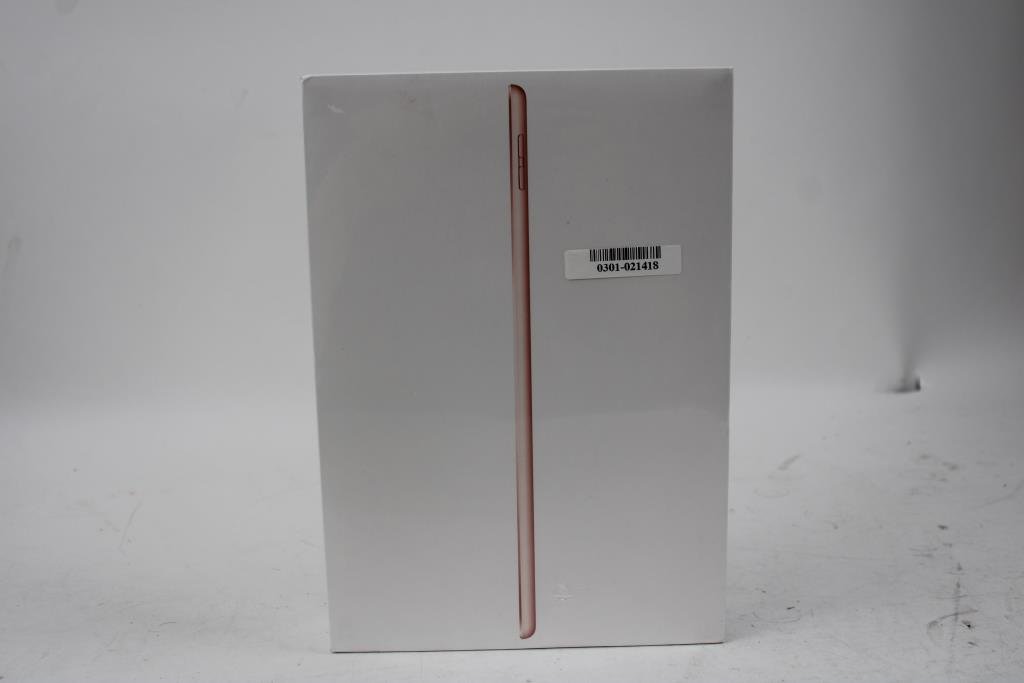
When Apple unveiled the 7th generation iPad in 2019, it wasn't just another tablet; it was a strategic move to bring a more expansive display and smarter connectivity to its most affordable line. For many, understanding the nuances of the iPad 7th Gen Specifications & Features is key to appreciating its enduring value, especially for students, budget-conscious users, or anyone looking for a reliable entry into the Apple ecosystem.
This pillar article dives deep into what made this device a popular choice, detailing its core capabilities, design elements, and how it holds up today. Whether you're considering a pre-owned model or simply curious about Apple's product evolution, you'll find everything you need to know right here.
iPad 7th Gen: At a Glance
- Display: Larger 10.2-inch Retina display (2160x1620 resolution, 264 ppi) compared to its 9.7-inch predecessors.
- Processor: Powered by the A10 Fusion chip for solid everyday performance.
- Memory & Storage: 3GB RAM, with 32GB or 128GB storage options.
- Connectivity: Supports the original Apple Pencil and the Apple Smart Keyboard via the Smart Connector.
- Security: Features Touch ID fingerprint sensor.
- Cameras: 8MP rear camera, 1.2MP front FaceTime HD camera.
- Software: Capable of running iPadOS up to version 18.
- Price: Started at an accessible $329 (US) at launch.
- Release: Revealed September 10, 2019; released September 25, 2019.
A Moment in Time: Why the iPad 7th Gen Still Matters
The iPad 7th generation, model A2197 (Wi-Fi Only), arrived on the scene in September 2019 with a clear mission: to offer more for less. Positioned squarely at the budget and educational markets, it democratized features previously found only on higher-end iPads. At a starting price of $329, it wasn't just an upgrade; it was an invitation to a wider audience to experience the iPad's versatility without breaking the bank. This device served as a pivotal point, bridging classic iPad design with modern conveniences, before its successor, the eighth-generation iPad, arrived in September 2020.
The Visual Experience: A Brighter, Bigger Canvas
One of the most significant advancements of the 7th Gen iPad was its display. You might recall previous entry-level iPads featuring a 9.7-inch screen. The 7th Gen broke that mold.
The 10.2-inch Retina Display: More Room to Create
For the first time in the entry-level lineup, Apple introduced a spacious 10.2-inch Retina display. This wasn't just about size; it packed a crisp 2160x1620 resolution at 264 pixels per inch (ppi). What does that mean for you? It translates to sharper text, more vibrant images, and a more immersive experience whether you're streaming movies, editing photos, or tackling a school assignment. That extra screen real estate makes a real difference in daily use, providing ample room for multitasking or simply enjoying your content.
Design and Colorways: Familiar Comforts
Apple maintained its classic iPad aesthetic with the 7th Gen, featuring the familiar Home button with integrated Touch ID for secure unlocking and purchases. On the physical side, you’ll find a Lightning port for charging and data transfer, along with stereo speakers that offer decent audio quality for media consumption.
When it came to aesthetics, you had a few choices to match your style. The iPad 7th Gen was available in three distinct case colors: the elegant white/gold, the timeless white/silver, or the sleek black/Space Gray, ensuring there was an option for every preference.
Under the Hood: Powering Your Everyday Tasks
While not sporting Apple's bleeding-edge chip, the iPad 7th Gen delivered reliable performance for its target audience.
The A10 Fusion Chip: A Solid Performer
At its heart, the iPad 7th Gen was powered by the four-core 2.33 GHz Apple A10 Fusion processor. This chip, previously seen in the iPhone 7, was a workhorse for its time, adept at handling a wide range of tasks. For your everyday use—browsing the web, checking emails, streaming video, light gaming, and productivity apps like Pages or Google Docs—the A10 Fusion proved to be more than capable. It offered a smooth user experience, keeping app transitions fluid and general performance snappy.
RAM and Storage Choices: Finding Your Balance
Accompanying the A10 Fusion chip was 3GB of RAM. This amount of memory was sufficient for managing several apps simultaneously without significant slowdowns, enhancing the multitasking experience on iPadOS.
When purchasing, you had two storage options: 32GB or 128GB of flash memory. For many, 32GB was an ideal entry point for basic use, storing essential apps, documents, and a moderate collection of photos. However, if you planned to download numerous games, high-resolution videos, or large creative projects, the 128GB model offered considerably more breathing room, preventing the frustration of running out of space too quickly. You can Discover the iPad 7th generation and learn more about its storage capabilities.
Capturing Moments: Cameras for Work and Play
While iPads aren't typically your go-to device for professional photography, the 7th Gen's cameras were perfectly adequate for video calls, scanning documents, and casual photo-taking.
Rear iSight Camera: For Life's Snapshots
On the back, you’d find an 8-megapixel "iSight" camera. This sensor was capable of capturing decent photos in good lighting conditions and recorded 1080p video at 30 frames per second (fps). It's suitable for scanning documents, taking quick reference photos, or even a bit of light-hearted video recording. Think of it as a handy tool for capturing visual notes rather than your primary camera for family vacations.
Front FaceTime HD Camera: Connecting with Clarity
For video calls and selfies, the iPad 7th Gen featured a 1.2-megapixel "FaceTime HD" camera on the front. This camera supported 720p video, making it perfectly functional for FaceTime calls with friends and family, participating in online classes, or joining virtual meetings. While not designed for studio-quality selfies, it gets the job done for keeping you connected face-to-face.
Staying Connected: Wi-Fi, Bluetooth, and Beyond
Connectivity is crucial for any modern tablet, and the iPad 7th Gen provided a robust set of options for staying online and connected to accessories.
Wireless Essentials: Fast and Reliable
The device featured dual-band 802.11ac Wi-Fi with MIMO (Multiple-Input, Multiple-Output) technology. In plain terms, this meant faster and more reliable Wi-Fi connections, especially on modern routers, ensuring smooth streaming, quick downloads, and responsive web browsing. For connecting wireless accessories like headphones or external speakers, it included Bluetooth 4.2, offering a stable and efficient connection.
Understanding Connectivity Options: Wi-Fi Only
It's important to note the specific model reviewed here, A2197, is the Wi-Fi Only version. This means it relies solely on Wi-Fi for internet access and does not support 4G LTE cellular data. Furthermore, Wi-Fi Only models typically do not include A-GPS (Assisted Global Positioning System). While it can approximate your location using Wi-Fi triangulation, it lacks the precise, always-on location services offered by cellular-equipped iPads. This is a key consideration if you frequently need internet access on the go without a Wi-Fi hotspot, or if precise navigation is a priority.
Power Through Your Day: Battery Life You Can Count On
One of the hallmarks of the iPad experience is its impressive battery life, and the 7th Gen was no exception.
10-Hour Endurance: Unplug and Go
Apple rated the iPad 7th Gen for up to 10 hours of battery life when surfing the web on Wi-Fi, watching video, or listening to music. In real-world usage, this translates to a full day of mixed use for most individuals. Whether you're commuting, attending classes, or simply lounging at home, you can count on this iPad to keep pace with your activities without constantly hunting for an outlet. This reliability makes it an excellent companion for travel or extended study sessions.
Ecosystem & Enhancements: Apple Pencil and Smart Keyboard
The iPad 7th Gen significantly expanded its utility by embracing key Apple accessories, making it a more versatile tool for productivity and creativity.
First-Gen Apple Pencil Support: Unleash Your Creativity
A major draw for students and creatives was the 7th Gen iPad's support for the original Apple Pencil (model A1603, MK0C2AM/A). This stylus transformed the iPad into a powerful digital notebook and sketchbook. You could take handwritten notes, annotate documents, draw, and even mark up screenshots with precision. This feature alone made the 7th Gen a compelling option for those looking to replicate a pen-and-paper experience digitally.
The Smart Connector Advantage: Type with Ease
Another groundbreaking addition for the entry-level iPad was the inclusion of the Smart Connector. This magnetic port on the side of the iPad allowed for direct attachment and power for the Apple Smart Keyboard. Gone were the days of needing to pair a Bluetooth keyboard or worry about separate charging; the Smart Keyboard snapped on, immediately ready for typing. For anyone who needed to write longer emails, essays, or reports, this feature turned the iPad into a highly capable, portable workstation.
The Software Journey: iPadOS and Longevity
Software updates are crucial for the long-term usability and security of any device, and the iPad 7th Gen has seen a good run.
iPadOS Upgrades: Keeping Current (for a Time)
The iPad 7th Gen launched with iPadOS, Apple's dedicated operating system for its tablets, which brought a host of multitasking improvements and a desktop-class browsing experience. Importantly, this model is supported for iPadOS updates up to version 18. This means it continues to receive new features, performance enhancements, and critical security patches, ensuring its usability for several years after its release. This extended software support is a significant advantage, maintaining your device's relevance and security.
A Note on the Neural Engine: Understanding its Absence
One interesting technical detail about the iPad 7th Gen is that it is the last supported iPad model that lacks Apple's Neural Engine. The Neural Engine is a specialized component within newer Apple chips designed to accelerate machine learning tasks, such as advanced photography features, Siri suggestions, and augmented reality (AR) applications. While its absence means the 7th Gen won't perform these highly specialized tasks as efficiently as newer models, it generally doesn't impact core functionality or the vast majority of apps. For most users, this detail is more of a technical curiosity than a significant drawback in day-to-day use.
Who Was the iPad 7th Gen For? (And Is It Still For You?)
When it launched, the iPad 7th Gen perfectly hit a sweet spot for specific demographics, and its value proposition remains relevant for many today.
Target Audience Revisited: The Everyday Workhorse
The 7th Gen iPad was meticulously designed for the budget-conscious consumer and the educational sector. Its affordable price point, combined with support for the Apple Pencil and Smart Keyboard, made it an ideal tool for students. Imagine taking notes in class, researching papers, or even creating digital art, all on a single, portable device. Beyond education, it served as an excellent family tablet for browsing, streaming, and casual gaming, or a reliable personal device for managing emails, video calls, and light productivity tasks without the premium price tag of an iPad Air or Pro.
Successor Context: What Came Next
Apple's product cycle is continuous. The 7th Gen's reign as the latest entry-level iPad was succeeded on September 15, 2020, by the eighth-generation iPad. The 8th Gen brought further performance improvements, primarily with an upgraded A12 Bionic chip, but maintained many of the 7th Gen's design elements and accessory compatibility. Knowing this helps you understand where the 7th Gen sits in the lineage and why it offers such compelling value in the used market.
Making the Most of Your iPad 7th Gen
Even a few years after its release, the iPad 7th Gen remains a very capable device for a wide array of users. If you own one or are considering purchasing a used model, here’s how to maximize its potential:
- Embrace the Accessories: If you don't have them already, consider investing in an original Apple Pencil and a Smart Keyboard. They unlock much of the device's productivity and creativity potential.
- Storage Management: If you have the 32GB model, be mindful of your storage. Utilize cloud services like iCloud, Google Drive, or Dropbox for photos and documents to free up local space. Offload apps you don't frequently use.
- App Ecosystem: Leverage the vast iPadOS app library. From productivity suites like Microsoft Office or Google Workspace to creative apps like Procreate (for drawing) or iMovie (for video editing), the App Store offers tools for almost any need.
- Stay Updated: Ensure your iPad is running the latest supported version of iPadOS (up to version 18). This ensures you have the latest features, security patches, and optimal performance for compatible apps.
- Protect Your Investment: A good case can extend the life of your iPad, protecting its display and chassis from everyday bumps and drops.
The iPad 7th Gen, with its generous 10.2-inch display and support for key accessories, still provides an excellent, budget-friendly entry into the Apple ecosystem. It’s a testament to thoughtful design and robust engineering that continues to serve its users well.