You’ve got a fantastic tablet in your hands with the iPad 7th Gen. While it might not be the latest model on the block, its 10.2-inch display and solid performance still make it a powerhouse for everything from browsing to creative work. But let’s be honest: an iPad truly shines when it’s paired with the right accessories. Think of it like this – a good car gets you places, but the right tires, infotainment system, and comfort features make every journey a joy.
That’s precisely what we’re diving into today: the Best Accessories for iPad 7th Gen to Boost Your Tablet Experience. Forget generic add-ons; we’re talking about tools and protective gear that genuinely elevate your daily use, making your tablet more versatile, productive, and enjoyable. Whether you’re a student, a creative, a media junkie, or just someone looking for a better way to manage your digital life, the right accessories can unlock a whole new dimension of your iPad.
At a Glance: Key Takeaways for iPad 7th Gen Accessories
- Compatibility is paramount: The iPad 7th Gen uses a Lightning port and is compatible only with the 1st Generation Apple Pencil. Many newer accessories are USB-C or Apple Pencil 2nd Gen/Pro, so always double-check.
- Protection First: A durable case and screen protector are non-negotiable to safeguard your investment.
- Typing Upgrade: Physical keyboards, whether Smart Connector or Bluetooth, can transform your iPad into a capable laptop alternative.
- Creative Freedom: The 1st Gen Apple Pencil and paper-feel screen protectors unlock digital artistry and note-taking.
- Power & Connectivity: Look for Lightning-compatible chargers, power banks, and flash drives, or USB-C accessories with appropriate adapters.
- Ergonomics & Viewing: Stands and mounts offer hands-free convenience for everything from video calls to cooking.
Know Your iPad: The 7th Gen Advantage (and Crucial Specs)
Before you embark on your accessory quest, let’s get crystal clear on what makes your iPad 7th Gen unique. This isn't just about knowing you own an iPad; it's about understanding its specific features and, crucially, its limitations regarding accessory compatibility. This knowledge will save you time, money, and frustration.
The iPad 7th Generation, released in 2019, features a 10.2-inch Retina display and is powered by the A10 Fusion chip. More importantly for accessories, it comes with two defining characteristics:
- Lightning Port: Unlike most newer iPads that have adopted USB-C, your 7th Gen iPad charges and connects via Apple’s proprietary Lightning port. This is a critical detail for charging cables, hubs, and any direct-connect storage solutions.
- Apple Pencil (1st Generation) Compatibility: If you're planning to draw, write, or annotate, your iPad 7th Gen works exclusively with the Apple Pencil (1st Generation). Newer Apple Pencil models (2nd Gen, USB-C, Pro) are not compatible. This also means you'll charge your Apple Pencil by plugging it directly into your iPad's Lightning port or via an adapter.
Understanding these two points is your first and most important step. Many fantastic accessories are available today, but they are often designed for USB-C iPads or the 2nd Gen Apple Pencil. Don't worry, there are still plenty of stellar options for your 7th Gen model! If you want to dive deeper into its core features and capabilities, you can always learn more about Apple iPad 7th generation and see just how much this tablet can do.
Let's explore the best ways to enhance it.
Bulletproof Your Tablet: Cases & Screen Protectors
Your iPad is a powerful tool, but it's also a delicate piece of technology. Drops, scratches, and everyday wear and tear are inevitable without proper protection. Investing in a quality case and screen protector isn't just about aesthetics; it's about safeguarding your investment and ensuring its longevity.
Rugged Protection & Versatility: Cases That Deliver
A great case does more than just shield your iPad; it often adds functionality. Here are some top contenders known for their durability and thoughtful design:
- Zugu Case: If you're serious about protection and versatility, the Zugu Case is often hailed as a top choice. It’s built like a tank with a rigid bumper and a sizable lip that protects the screen from face-down drops. Beyond its protective prowess, the Zugu excels in functionality:
- Adjustable Angles: It boasts 8 adjustable magnetic viewing angles, making it stable on your lap for typing or perfect for hands-free viewing.
- Magnetic Mounting: A unique feature allows it to stick magnetically to metal surfaces, like a refrigerator – perfect for following a recipe while cooking!
- Secure Apple Pencil Storage: It includes a secure slot for your 1st Gen Apple Pencil, keeping it safe and always at hand.
Zugu is known for offering cases for a wide range of iPad models, so finding a compatible one for your 7th Gen should be straightforward. - Spigen Rugged Armor Pro: For a sporty, robust aesthetic, the Spigen Rugged Armor Pro offers excellent protection. It combines thermoplastic polyurethane with a polyurethane leather back cover for a dual-layer defense.
- Integrated Stand: The case converts into a stand with two practical angle options.
- Apple Pencil Storage: Like the Zugu, it includes a secure spot for your 1st Gen Apple Pencil, ensuring it's protected and won't get lost.
While it doesn't automatically shut off the display when closed, its overall protection and integrated stand make it a strong contender for those needing extra durability.
Clarity & Feel: Screen Protectors for Every Need
A screen protector guards against scratches and cracks without impeding touch sensitivity. The right one can even enhance your iPad experience.
- Casetify Impact Screen Protector: For straightforward, reliable screen protection, Casetify offers a super-thin, highly touch-sensitive adhesive protector. It's designed to be fingerprint-resistant, keeping your screen clear. The application process is made easy with included accessories like a microfiber cloth, wet/dry wipes, and a de-dusting sticker, ensuring a bubble-free installation. This is a solid choice for everyday scratch and minor impact defense.
- Astropad Rock Paper Pencil (V2): If you use your iPad for drawing, writing, or note-taking with your Apple Pencil, a "paper-feel" screen protector can be a game-changer. The Astropad Rock Paper Pencil stands out for its unique approach:
- Reusable & Static Cling: It uses NanoCling static cling technology, allowing for easy application, realignment, and even removal when you want to enjoy the iPad’s pristine display.
- Authentic Feel: It genuinely replicates the tactile feedback of pen on paper, enhancing precision and making extended drawing or writing sessions more comfortable.
- Pencil Tips Included: The kit includes specific Apple Pencil tips designed to work optimally with the protector, minimizing nib wear.
While it might be more prone to fingerprints than a glossy protector, it's easy to wipe clean, and the writing experience it offers is unparalleled for digital artists and avid note-takers.
Transforming Your Tablet into a Workhorse: Keyboards & Typing Solutions
Typing on a touchscreen is fine for quick messages, but for serious work—emails, essays, reports, or even extensive note-taking—a physical keyboard is indispensable. It transforms your iPad 7th Gen from a casual consumption device into a capable productivity machine.
Smart Connector Keyboards: Seamless & Reliable
The iPad 7th Gen features a Smart Connector, a fantastic technology that allows keyboards to attach magnetically, draw power, and transmit data without Bluetooth pairing or separate charging.
- Apple Smart Keyboard: This is Apple’s official Smart Connector keyboard for your iPad 7th Gen. It’s known for its slim profile, full-sized keyboard, and ease of use. Just snap it on, and you’re ready to type. It also doubles as a screen cover when closed. While it doesn't have a trackpad or backlighting, it offers a reliable, comfortable typing experience and maintains the iPad’s sleek design.
- Note: The "Apple Magic Keyboard" is for newer iPad Pro/Air models with USB-C and is not compatible with the iPad 7th Gen.
- Logitech Combo Touch (Older Generations): While the newest Logitech Combo Touch versions are designed for USB-C iPads like the iPad Pro (M4) and iPad Air (M2), Logitech has historically produced excellent Smart Connector keyboard cases for earlier iPad models, including the 7th Gen. These often feature:
- Integrated Trackpad: Offering full multi-touch gesture support, turning your iPad into a true laptop-like experience.
- Backlit Keys: Essential for working in low-light conditions.
- Kickstand: Providing flexible viewing angles that often surpass Apple's offerings.
If you can find an older generation Logitech Combo Touch specifically designed for the iPad 7th Gen, it's a phenomenal accessory that adds significant utility and protection.
Versatile & Portable: Bluetooth Keyboards
If a Smart Connector case isn't your style, or you prefer a more flexible setup, a standalone Bluetooth keyboard offers excellent versatility.
- Logitech K380: This quiet, tactile Bluetooth keyboard is a favorite for its portability and multi-device capabilities.
- Easy Switching: It can connect to up to three devices simultaneously, allowing you to switch between your iPad, phone, or computer with a single button press.
- Compact Design: Its slim, lightweight build makes it easy to toss into any bag.
- Long Battery Life: Powered by two AAA batteries, it offers approximately four months of use.
The K380 is a no-frills, reliable option for anyone needing a comfortable typing experience on the go. - Logitech MX Keys Mini: For a more premium and feature-rich Bluetooth typing experience, the MX Keys Mini is exceptional.
- Smart Features: It includes handy dedicated keys for emoji pickers and mic mute, streamlining your workflow.
- Multi-Device Connectivity: Like the K380, it connects to up to three devices, making it perfect for those with a multi-device setup.
- Comfortable & Responsive: The keys offer good travel and responsiveness, making extended typing sessions a breeze.
- Zagg Messenger Folio 2 (for compatible iPads): While the listed Zagg Messenger Folio 2 specifically targets the 9th- and 10th-gen iPads, Zagg often produces similar compact keyboard covers for other models, including potentially the 7th Gen. These types of folios typically offer:
- Good Key Travel: Providing a satisfying typing experience.
- Dedicated Function Keys: Often including Home, recent apps, and lock keys for quick iPad control.
- Stylus Holder: A convenient fabric-like exterior with a stylus holder.
- Bluetooth Connectivity: USB-C rechargeable (but requires a USB-C to Lightning cable to charge your iPad).
These are generally more affordable, protective alternatives that connect via Bluetooth, offering a stable viewing angle and auto-screen off on closure. Always check for a 7th Gen specific version.
Hands-Free & Ergonomic: Stands & Mounts
Freeing your iPad from your hands can dramatically change how you interact with it. Whether you're watching movies, participating in video calls, following a recipe, or using it as a secondary display, a good stand or mount enhances comfort and versatility.
- Twelve South HoverBar Duo 2.0: This is a truly versatile accessory for anyone who uses their iPad extensively in different settings.
- Dual Functionality: It works as both a weighted desktop stand and a sturdy, adjustable clamp that attaches to tables, desks, or shelves (0.4 to 1.4 inches thick).
- Flexible Positioning: Its strong, adjustable arm makes it ideal for positioning your iPad as a secondary screen, above your workstation, or just at a comfortable viewing height.
- Robust Build: The hinges can be tightened with an included hex key, ensuring your iPad stays exactly where you put it.
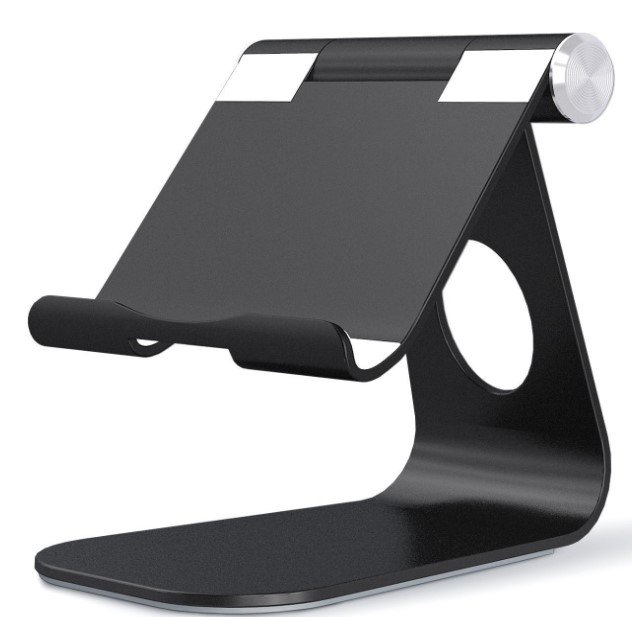
The HoverBar Duo 2.0 is perfect for dynamic users who need their iPad in various orientations and locations. - Satechi Aluminum Desktop Stand: For a sleek, sturdy, and portable desktop solution, Satechi's Aluminum Desktop Stand is an excellent choice.
- Durable Construction: Made from aluminum with a rubberized base, it's built to last and provides a stable foundation for your iPad.
- Adjustable: Two hinges allow you to customize both the height and viewing angle, ensuring ergonomic comfort whether you're typing, drawing, or watching.
- Portable: Despite its durability, it's lightweight and folds flat for easy transport.
This stand is ideal for those who frequently move their workstation or want a reliable, attractive stand for their desk. - Lamicall Gooseneck iPad Holder: When you need true hands-free viewing from unusual angles or distances, a gooseneck holder can be incredibly useful.
- Flexible Reach: It features a lengthy, flexible rod with a clamp base that can attach to desks, nightstands, or bed frames.
- Ideal for Media Consumption: Perfect for watching movies in bed, following instructions while cooking, or video calls without holding your device.
- Consideration: While highly flexible, gooseneck stands can be prone to wobbling when the screen is tapped, so they're best for static viewing.
Unleashing Creativity & Precision: Styluses & Input Devices
For artists, note-takers, or anyone who values precision input, a stylus and external mouse can dramatically expand your iPad's capabilities.
The Essential Stylus: Apple Pencil (1st Gen) & Alternatives
This is where understanding your iPad 7th Gen's compatibility is absolutely crucial.
- Apple Pencil (1st Generation) — The ONLY Apple Option for 7th Gen: We cannot stress this enough: your iPad 7th Gen is only compatible with the Apple Pencil (1st Generation). This stylus offers industry-leading pressure sensitivity, tilt detection, and incredibly low latency, making it the gold standard for digital art, precise note-taking, and detailed annotations.
- Charging Note: The 1st Gen Apple Pencil charges by plugging directly into your iPad's Lightning port or via the included Lightning adapter and cable.
- Do not purchase the Apple Pencil (2nd Generation), Apple Pencil (USB-C), or Apple Pencil Pro, as they will not work with your iPad 7th Gen.
- Logitech Crayon: A fantastic and more affordable alternative to the Apple Pencil (1st Gen), the Logitech Crayon offers many of the core functionalities for everyday use.
- Tilt Support: It supports tilt for shading, making it suitable for casual drawing and sketching.
- Great for Note-Taking: It’s excellent for digital journaling, annotating PDFs, and general note-taking.
- Charging: It charges via a Lightning cable (or USB-C on compatible Crayon models), but lacks the magnetic charging convenience of the 2nd Gen Apple Pencil.
While perhaps not for serious professional artists requiring the utmost precision, it’s an outstanding value for general use. - Paperlike Pencil Grips (1st-Generation): If you find your 1st Gen Apple Pencil a bit slippery or want to improve comfort and precision, these grips are a smart buy.
- Improved Ergonomics: The two-pack includes a Maximum Comfort Grip (for fatigue reduction during long sessions) and a Maximum Precision Grip (for enhanced accuracy in detailed work).
- Secure Hold: They provide a better grasp on the sleek, smooth barrel of the 1st Gen Apple Pencil.
Beyond Touch: Mice & Trackpads
iPadOS has robust mouse and trackpad support, making external input devices valuable for navigating, selecting text, and precise control, especially when using your iPad with a keyboard.
- Apple Magic Trackpad 2: For a premium experience that seamlessly integrates with iPadOS, the Magic Trackpad 2 is excellent.
- Force Touch: It features Force Touch sensors for various pressure levels, offering haptic feedback.
- iPadOS Gestures: It supports all the intuitive multi-touch gestures of iPadOS, making navigation fluid and efficient.
- Bluetooth Connectivity: Connects wirelessly via Bluetooth and has a USB-C port for charging (requires a USB-C to Lightning cable to charge your iPad from its power).
- Logitech MX Anywhere 3S Mouse: A versatile and highly portable mouse for productivity.
- Compact & Lightweight: At just 95 grams, it’s easy to carry anywhere.
- Darkfield Tracking: Its 8K DPI optical sensor works on virtually any surface, including glass, which is incredibly convenient.
- Quiet Clicks: Features nearly silent buttons for a distraction-free environment.
- Sustainable Design: Made from a significant percentage of post-consumer recycled plastic.
- Long Battery Life: A rechargeable battery lasts up to 70 days on a full charge, connecting via Bluetooth.
- M1 Wireless Mouse: A straightforward and ergonomic wireless mouse option.
- Ergonomic Design: Designed for comfortable long-term use.
- Responsive & Smooth: Features responsive buttons and a smooth scroll wheel.
- Convenient Charging: A front-facing Type-C port allows you to charge it even while in use.
This is a solid, no-frills choice for general navigation and tasks.
Power Up & Stay Connected: Chargers, Power Banks & Adapters
Keeping your iPad charged and connected is crucial, especially when you're on the go. Given the iPad 7th Gen's Lightning port, careful consideration of power and connectivity accessories is key.
Fast Charging on the Go: Power Adapters & Banks
- Nomad 65W Slim Power Adapter: A powerful and portable wall charger for all your devices.
- Dual USB-C Ports: Offers two USB-C ports, delivering 45 watts and 20 watts when both are in use. This means you can fast-charge your iPad (with a USB-C to Lightning cable) and another device simultaneously.
- Foldable Prongs: Designed for ultimate portability, making it easy to slip into any bag.
This is an excellent choice for efficient charging of multiple devices, just remember that crucial USB-C to Lightning cable for your iPad. - High-Capacity Power Banks (e.g., 145W Power Bank, Raycon Magic Laptop Power Bank 5-in-1): For extended off-grid use or charging multiple devices, a high-capacity power bank is invaluable.
- 145W Power Bank: Offers a substantial 25,000-mAh capacity and a 145-watt output (100W via one USB-C, 45W via another). It can fast-charge your iPad, and even MacBooks or other laptops. It’s reasonably compact (1.1 pounds) and has an LED screen showing remaining battery life.
- Raycon Magic Laptop Power Bank 5-in-1: A compact (15,000-mAh, 65-watt output) option that's designed for maximum convenience. It integrates USB-C, USB-A, and Lightning cables, and even doubles as a wireless charging pad. A digital display shows power output and battery life. This is particularly appealing for its built-in Lightning cable, eliminating the need to carry extra wires.
Expanding Connectivity: Hubs (with a Lightning Caveat)
Most modern hubs are designed for USB-C iPads and laptops. While a direct USB-C hub won't connect to your Lightning-port iPad, you still have options for expanding connectivity:
- Satechi Aluminum Stand & Hub (for other devices, or with an adapter): This specific hub is designed for iPad Air/Pro (USB-C), expanding connectivity with HDMI (4K), USB-A, 3.5-mm audio, SD/MicroSD card readers, and a 60-watt USB-C charging port. While not directly compatible with your iPad 7th Gen's Lightning port, it illustrates the type of functionality a hub provides. If you also own USB-C devices, this is a fantastic accessory. For your iPad 7th Gen, you would need a Lightning to USB adapter (e.g., Apple's own Lightning to USB 3 Camera Adapter) to connect a USB-A hub, which would then allow for peripherals like USB drives or keyboards. This approach works, but adds adapters.
More Room & Faster Transfers: Storage & Cables
Your iPad 7th Gen comes with a set amount of internal storage, but external drives and durable cables can make managing your files much easier and more robust.
Portable Storage Solutions
- OWC Envoy Pro Elektron SSD: If you need serious, fast external storage for large files (like photos, videos, or documents), this portable NVME SSD is an excellent choice.
- Speed & Durability: It's incredibly speedy, durable, and water-resistant.
- Capacity: Available from 240 GB up to a hefty 2 TB.
- Connectivity: It includes both USB-C to USB-C and USB-A adapter cables. To use this with your iPad 7th Gen, you would need to connect it via a Lightning to USB 3 Camera Adapter, or via a compatible hub that connects to the Lightning adapter.
- SanDisk iXpand Luxe Flash Drive: This is an ideal, straightforward solution for transferring data directly to and from your iPad 7th Gen.
- Dual Connectors: Features a Lightning port on one end and a USB-C port on the other, making it perfect for moving data between your Lightning iPad and a newer USB-C computer or tablet.
- Storage: Available up to 256 GB, providing ample space for photos, videos, and documents.
- App Integration: Requires the SanDisk app for additional features and seamless management. This is one of the most direct and convenient ways to expand storage for your 7th Gen iPad.
Durable & Reliable Cables
- Nimble PowerKnit USB-C to Lightning Cable: You'll always need Lightning cables, so why not choose one that's built to last and ethically produced?
- Durability: Features a robust knit fabric design, making it highly resistant to fraying and tangles.
- Fast Charging: Rated for 60 watts, it can handle fast charging speeds for your iPad when paired with a compatible power adapter.
- Eco-Friendly: Made from certified recycled plastic and aluminum, and is BPA- and PVC-free.
- Length Options: Available in 1-, 2-, or 3-meter lengths to suit your needs.
This cable is a prime example of investing in a high-quality, long-lasting accessory that you’ll use every single day.
Choosing Your Arsenal: What to Consider Before You Buy
With so many excellent options, deciding which accessories are right for you can feel a bit overwhelming. Here’s a quick guide to help you make smart choices:
- Prioritize Compatibility (Again!): This cannot be overstated for the iPad 7th Gen. Ensure any accessory explicitly states compatibility with the "iPad 7th Generation," "Lightning port," and "Apple Pencil (1st Generation)" if applicable. Don't assume.
- Define Your Primary Use Case:
- Productivity? Focus on keyboards, mice, and potentially external storage.
- Creativity/Art? Apple Pencil (1st Gen), paper-feel screen protector, and perhaps a stand.
- Media Consumption? Stands, mounts, and a comfortable case.
- Travel/Portability? Slim cases, compact keyboards, and power banks.
- Budget: Accessories range widely in price. Decide what you’re willing to spend and balance it against the value and durability offered. Sometimes, spending a bit more on a quality item saves money in the long run.
- Brand Reputation & Reviews: Stick with reputable brands known for quality. Always read recent reviews, looking for feedback from actual users regarding compatibility and real-world performance.
- Build Quality & Materials: Consider how the accessory is made. Does it feel durable? Will it last? Is it made from sustainable materials if that's important to you?
- Ergonomics & Comfort: If an accessory is something you'll interact with frequently (like a keyboard, stylus, or stand), ensure it feels comfortable and supports healthy posture.
Making the Most of Your 7th Gen iPad
Your iPad 7th Gen is a capable device, and with the right accessories, it can truly punch above its weight class. Whether it's turning your tablet into a portable workstation, a digital canvas, or the ultimate entertainment hub, these additions bridge the gap between "good" and "great."
Don't let the age of your iPad deter you from upgrading your experience. By carefully selecting accessories that align with its specific compatibility requirements and your personal usage habits, you can breathe new life into your tablet, making it an even more integral and enjoyable part of your daily routine. So go ahead, pick out those perfect additions, and start exploring the full potential of your iPad 7th Gen!